Oprelia EAM — Maintenance, safety and operations in one system

Oprelia EAM 2026/Manufacturing·Power·Seaports

Maintenance, safety and operations — in one system your whole site actually uses.

Field technicians scan the equipment and act with one tap, offline if they must. The control room and management see the same record, the moment it changes.

Zero-keystroke field work Safety built into every job One system, every site

One job, end to end

From the scan on the pump to the cost on the asset, one record carries the job.

01 / SCAN
Phone showing the asset scan card for Condensate pump No. 1 with permits, open work orders and one-tap actions

The operator scans the QR on the pump.

The card shows what is already on the asset: permits, open work and who else is working there.
02 / REQUEST
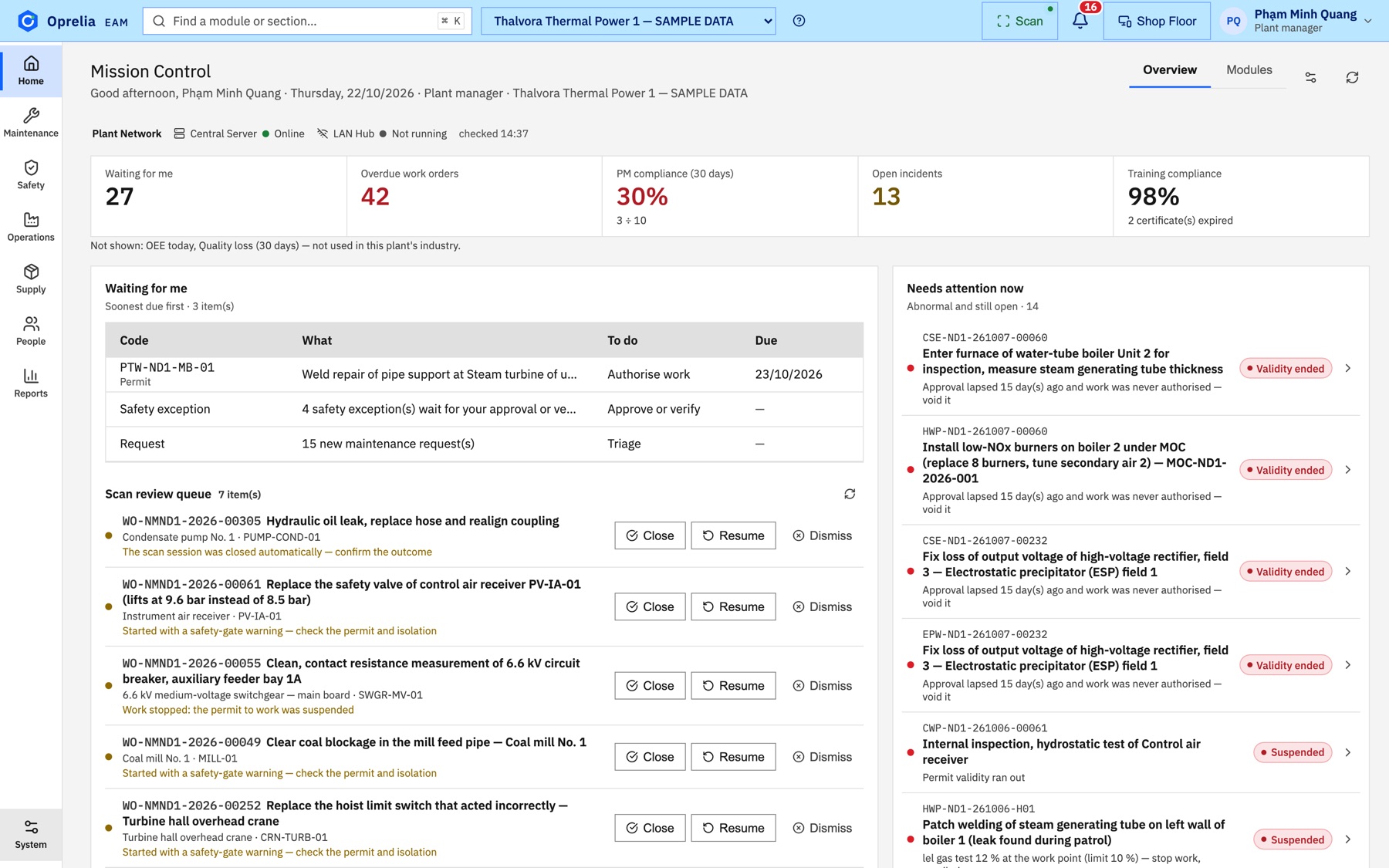
Oprelia home screen with new maintenance requests waiting for triage

A work request becomes a work order.

The fault reported from the field lands in the planner's queue with the asset and its history attached.
03 / PLAN
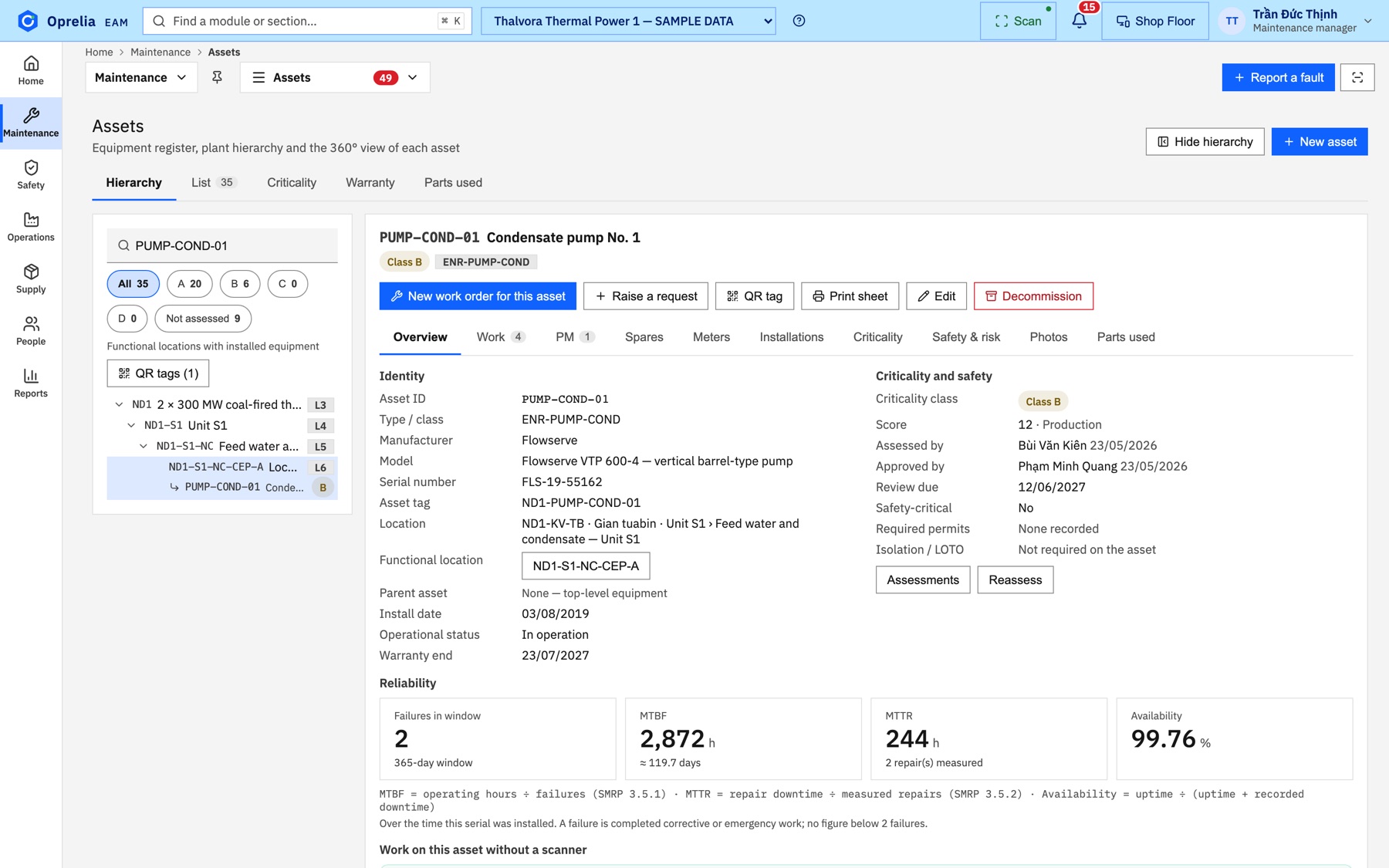
Asset 360 view of Condensate pump No. 1 with work, PM, spares and parts-used tabs

The planner adds steps and parts.

Spares are checked against the store before the job is scheduled, so the crew does not wait at the counter.
04 / APPROVE
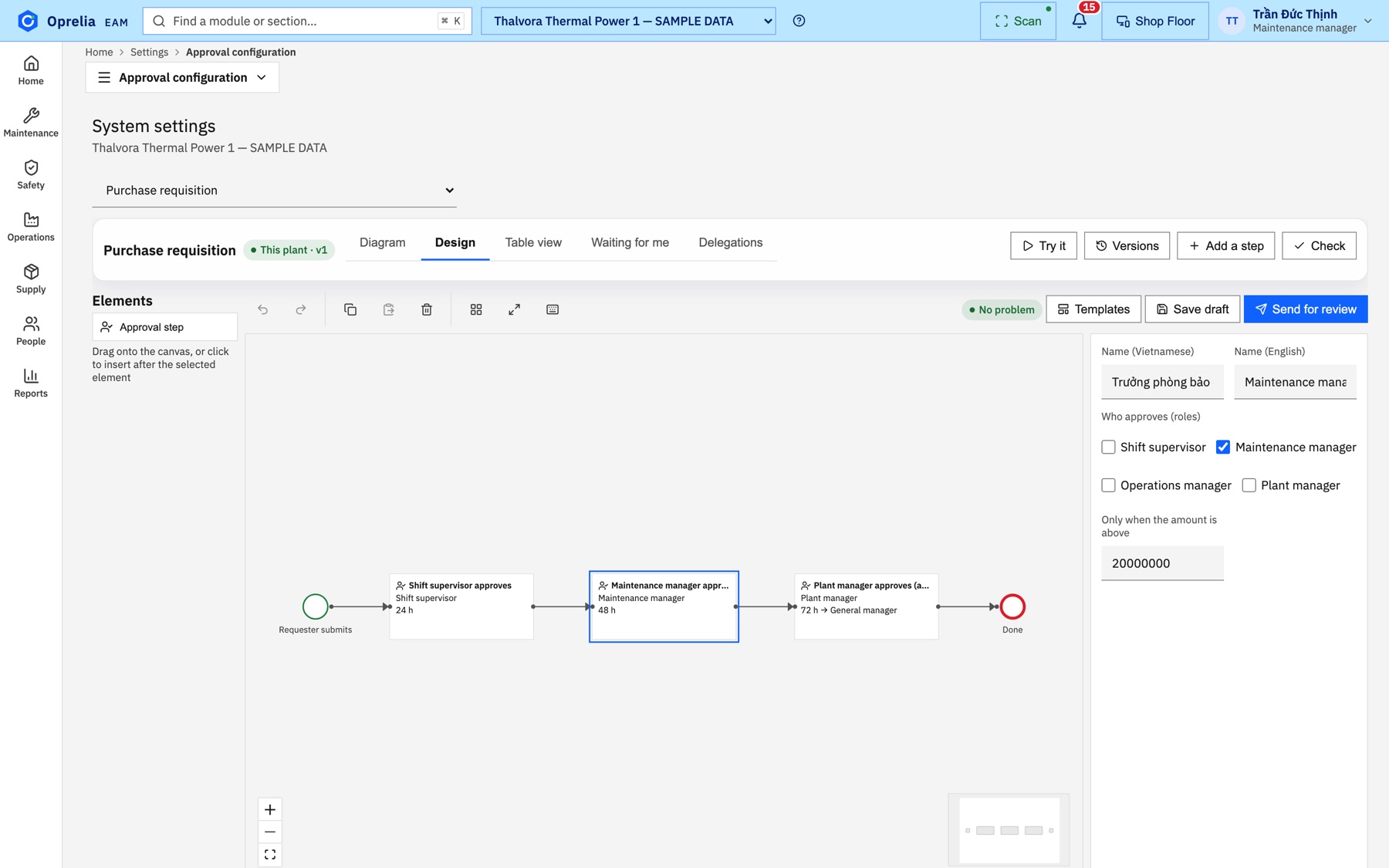
Approval chain from requester to shift supervisor, maintenance manager and plant manager

The approval chain runs.

Each approver sees the job in "Waiting for me"; the chain follows the rules your site designed.
05 / PERMIT
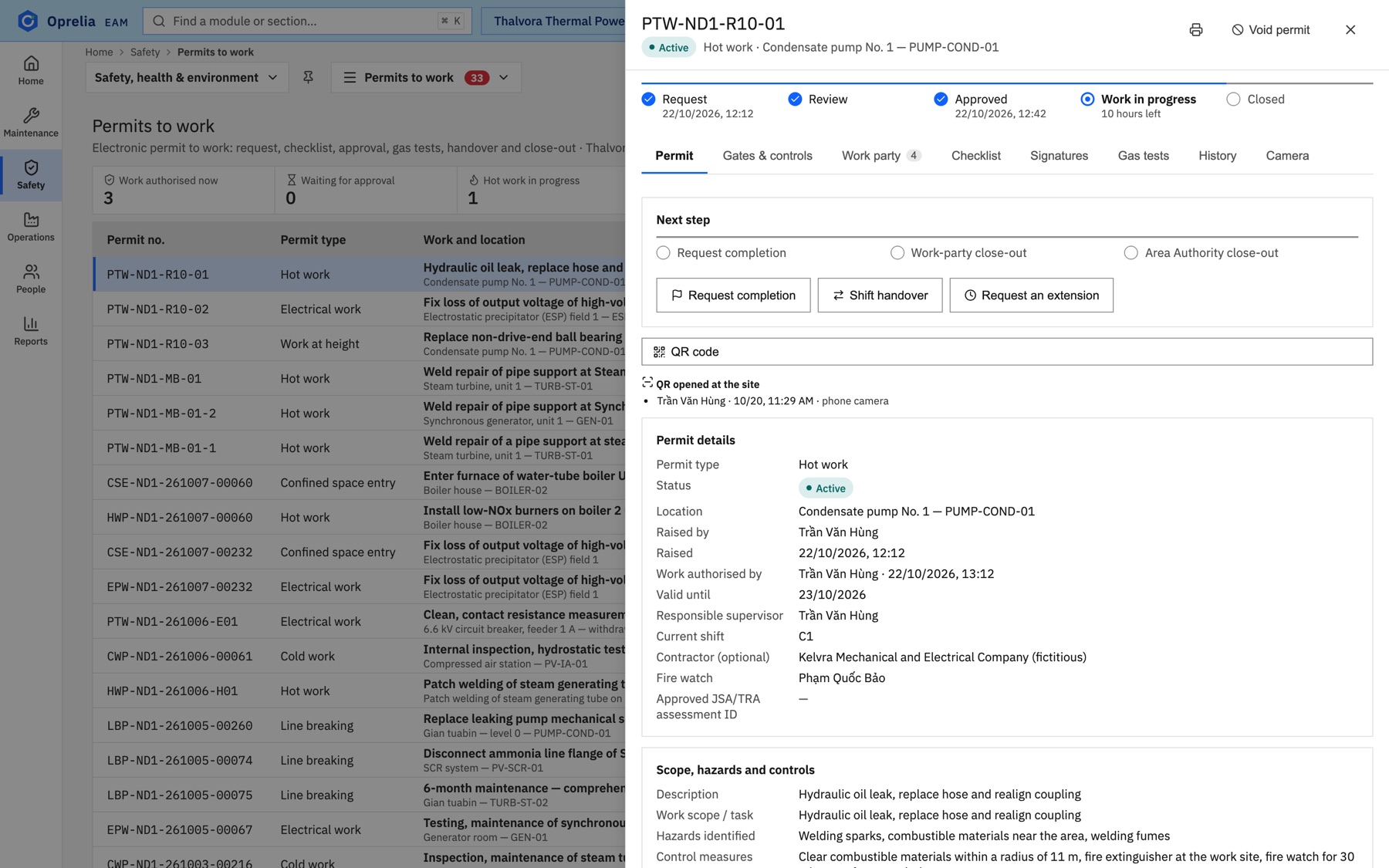
Permit to work PTW-ND1-R10-01 for hot work on Condensate pump No. 1, active, with work party and gas tests

A permit to work is issued and the crew badges are scanned.

The work party, their training and the fire watch are recorded on the permit itself.
06 / ISOLATE
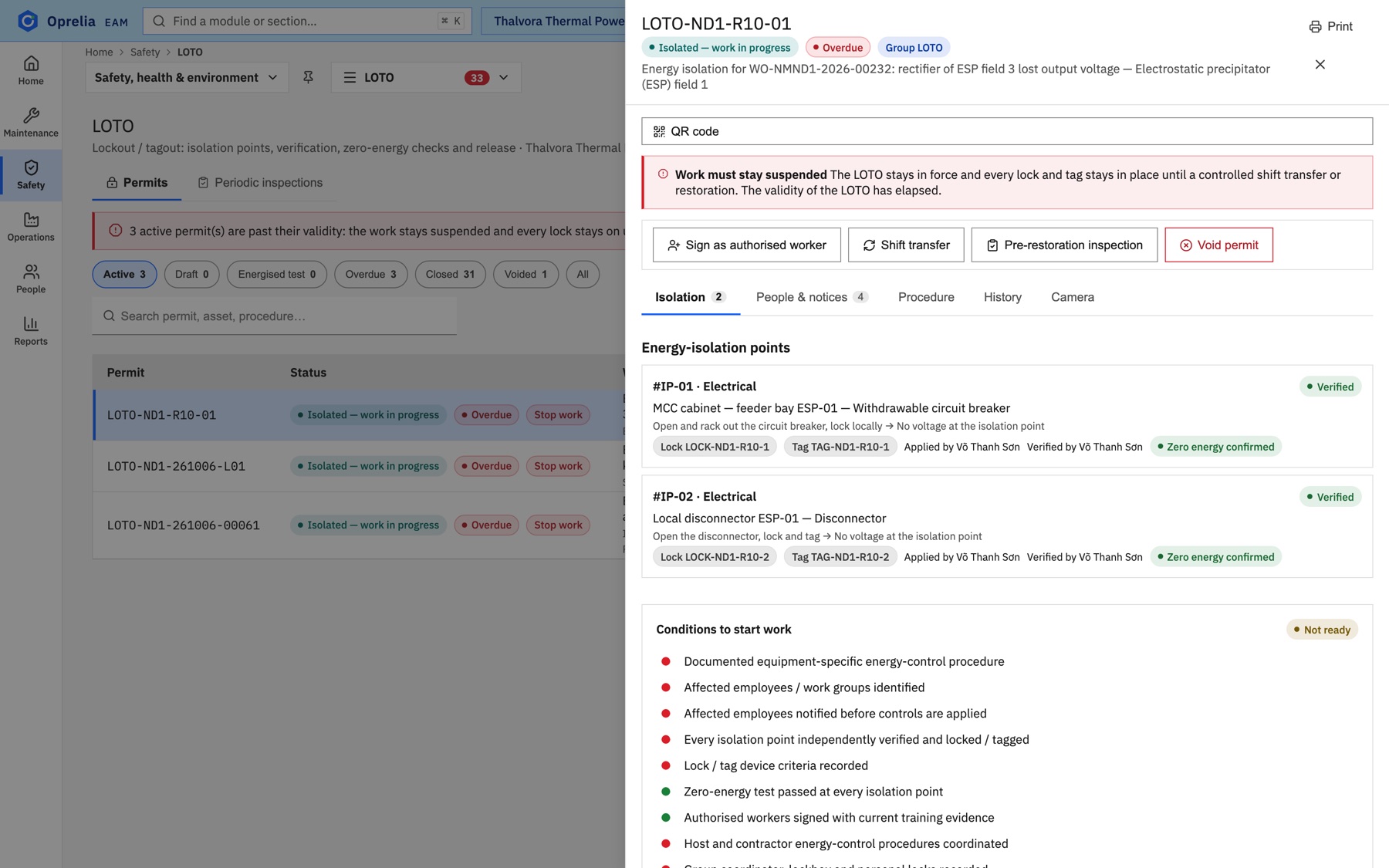
Group lockout with two verified energy-isolation points, locks and tags applied, zero energy confirmed

Group lockout is applied and zero energy is verified.

Every isolation point is locked, tagged and verified by a second person before work may start.

07 / WORK
Phone actions on the asset card: open the work order, report a fault, asset details

The technician works and issues parts by scan.

Parts leave the store with a scan on the phone and land on the work order's cost line.

08 / CLOSE
Asset reliability figures: failures in window, MTBF, MTTR and availability, updated from closed work

Close-out: not while the lockout still isolates.

When the lockout is released and the area handed back, the order closes and cost and history update on the asset.

Three pillars

Three functions. One record.

Hover a card to see what each pillar covers.

01

Maintenance

From the first request to the cost on the asset.

  • Work requests and work orders
  • Preventive maintenance
  • Spare parts and stores
  • Purchasing
  • Asset history and cost

Hover to see capabilities

02

Safety (HSSE)

Permits, isolation and people, linked to the job.

  • Permits to work
  • Lockout / tagout
  • Incidents and CAPA
  • Management of change
  • Contractors and training

Hover to see capabilities

03

Operations

Which machine can work, and when it is back.

  • Equipment dispatch with a live control-room display
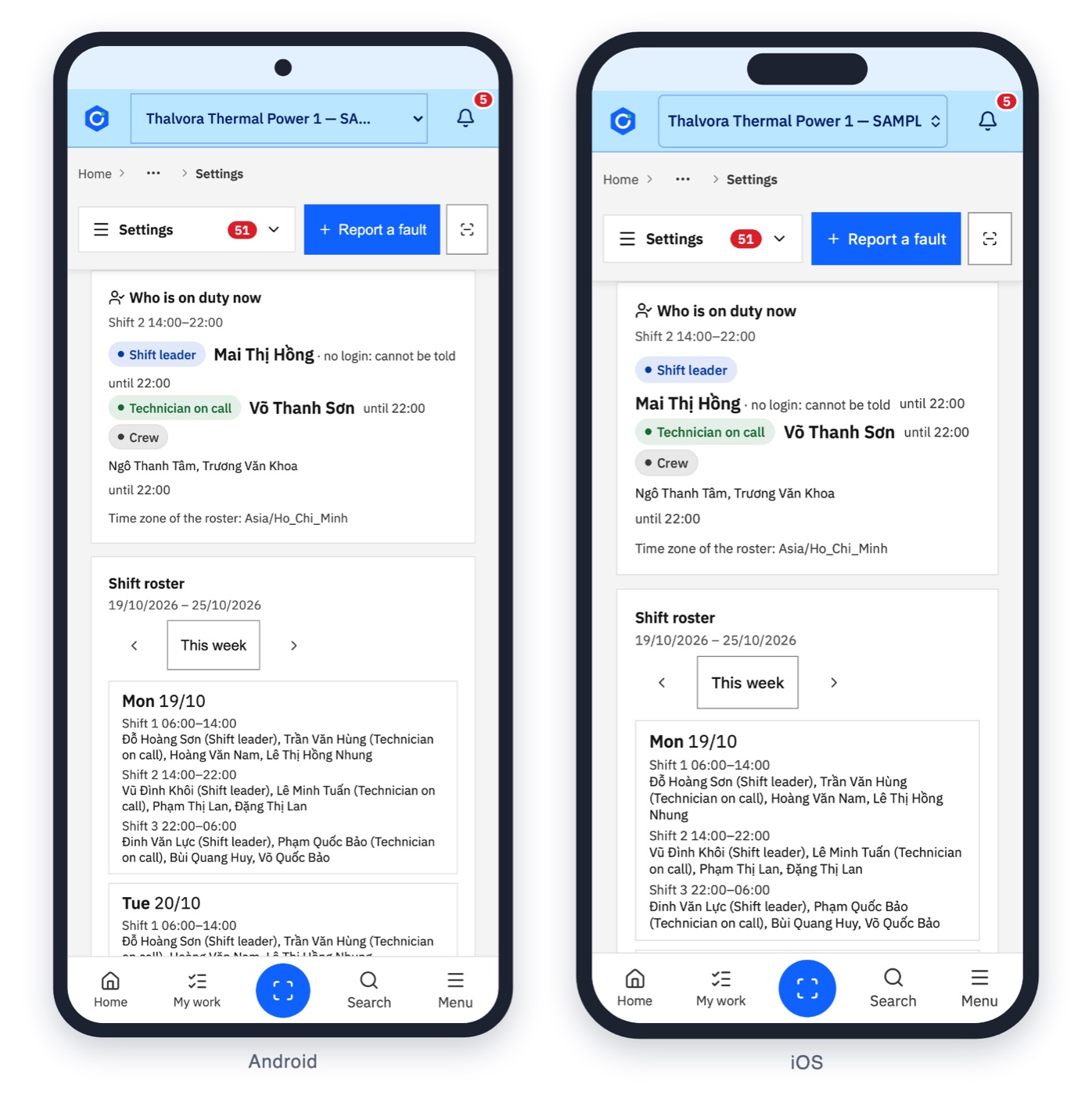
  • Shift rosters
  • Logbook and handovers
  • Connections to existing operations systems
  • Breakdowns reported from the cab

Hover to see capabilities

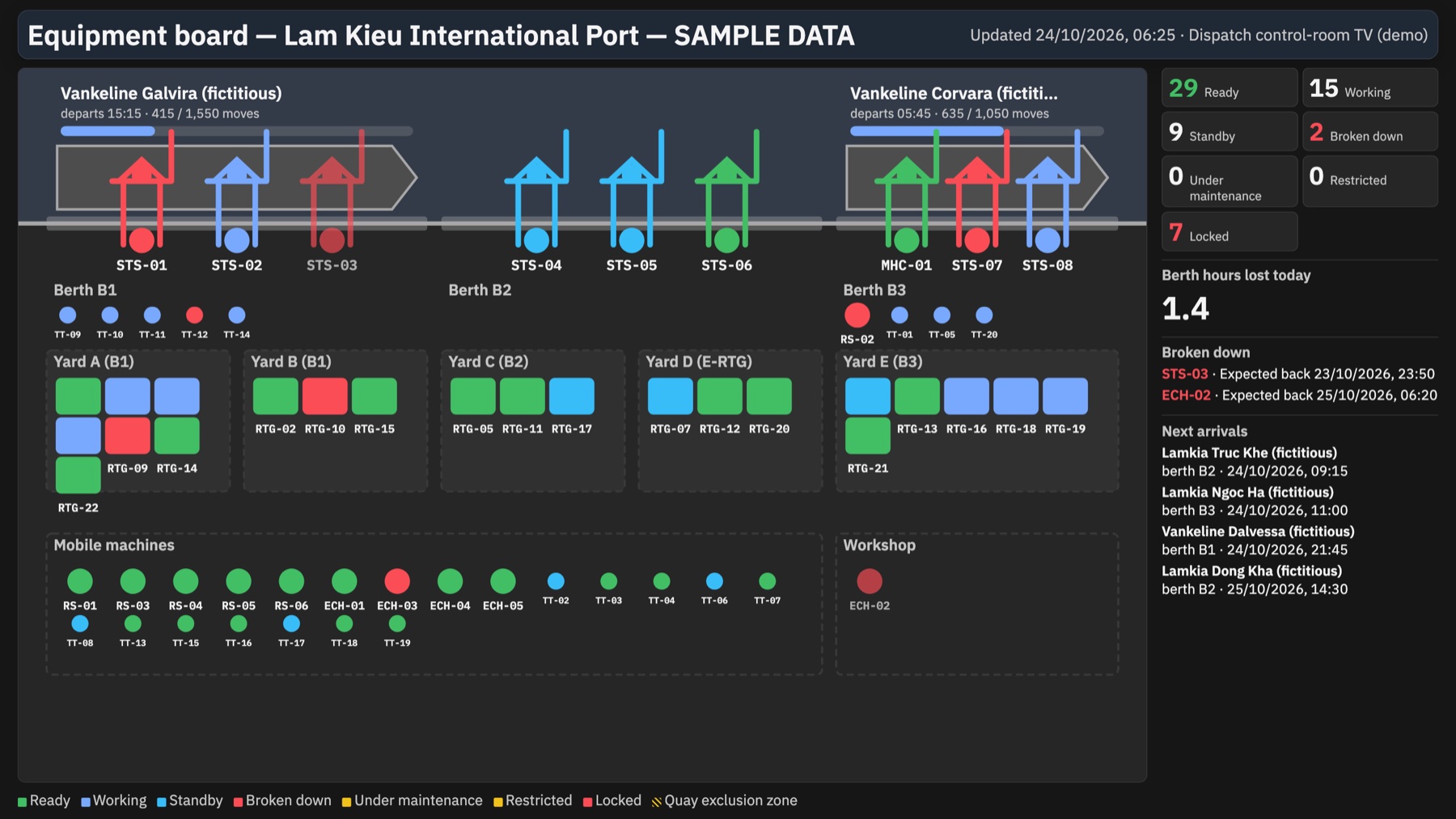
Control room

The whole terminal on one screen, updated as the machines report.

Equipment dispatch follows the vessel schedule, breakdowns are reported from the cab, and maintenance is planned in the gaps between vessels.

Control-room equipment board for a container terminal: quay cranes by berth and status, yard machines, broken-down units with expected return times and next vessel arrivals
STS-02 · Working STS-05 · Standby STS-07 · Locked
Control-room TV · Equipment dispatchSample data

Adapts without programming

Your approval chain, drawn, not coded.

An approval flow designer, custom fields, "when… then…" rules and personal dashboards. Every change is reviewed by a second person before it takes effect.

eam.oprelia.devApproval configuration · Purchase requisition
Approval flow designer with a purchase-requisition flow and a side panel for roles and amount threshold

Custom fields

Add the fields your site needs to any record, bilingual from the start.
Rule editor setting a custom field on a work order

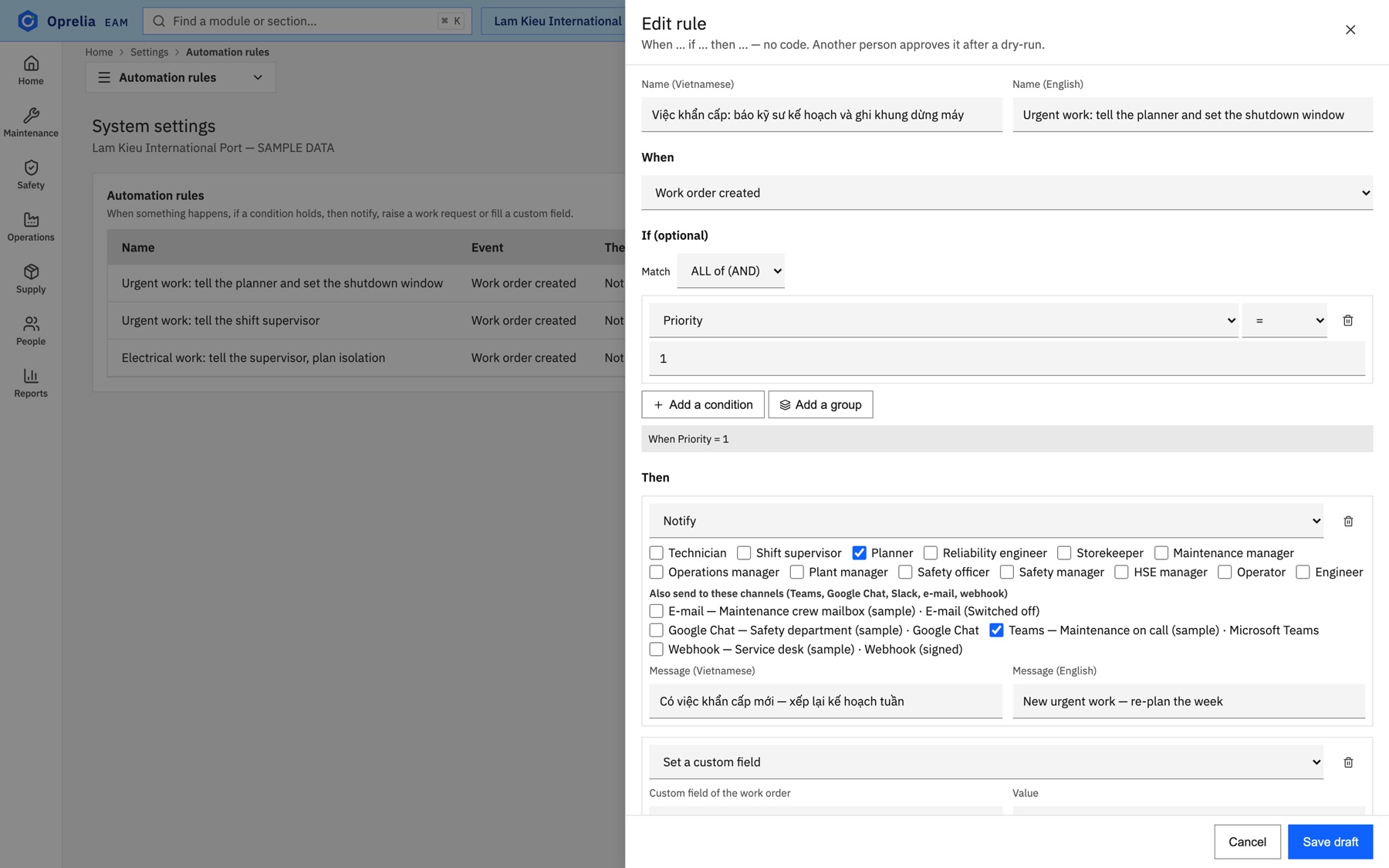
When… then… rules

Notify, raise a request or fill a field when something happens. Another person approves after a dry-run.

Rule editor: when a work order is created and priority is 1, notify the planner

My dashboards

Each person builds the view they need and shares it with their team.
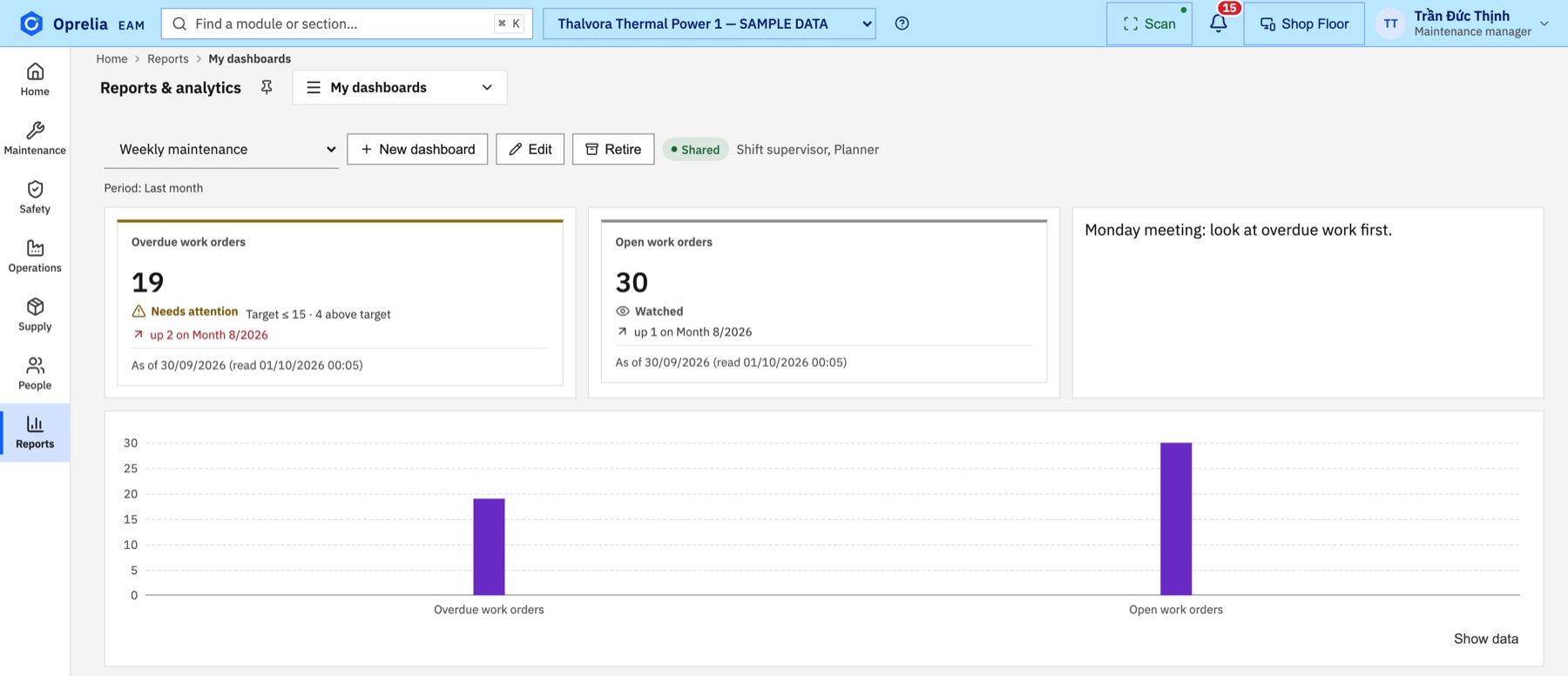
Personal dashboard with overdue and open work-order cards

AI assistant

It explains why, and shows where.

The assistant guides users step by step, explains why something is blocked, and answers questions about the user's own data with sources.

1
It reads only what you are allowed to see.
2
It never changes a record.
AssistantWO-00344 · Condensate pump No. 1
Why can't WO-00344 be closed?
The lockout LOTO-ND1-R10-01 is still isolating and permit PTW-ND1-R10-01 is still open. Release the lockout and hand the area back, then close.
LOTO-ND1-R10-01 PTW-ND1-R10-01
Lockout screen with the Pre-restoration inspection button highlighted

Mobile

On the phone the technician already carries.

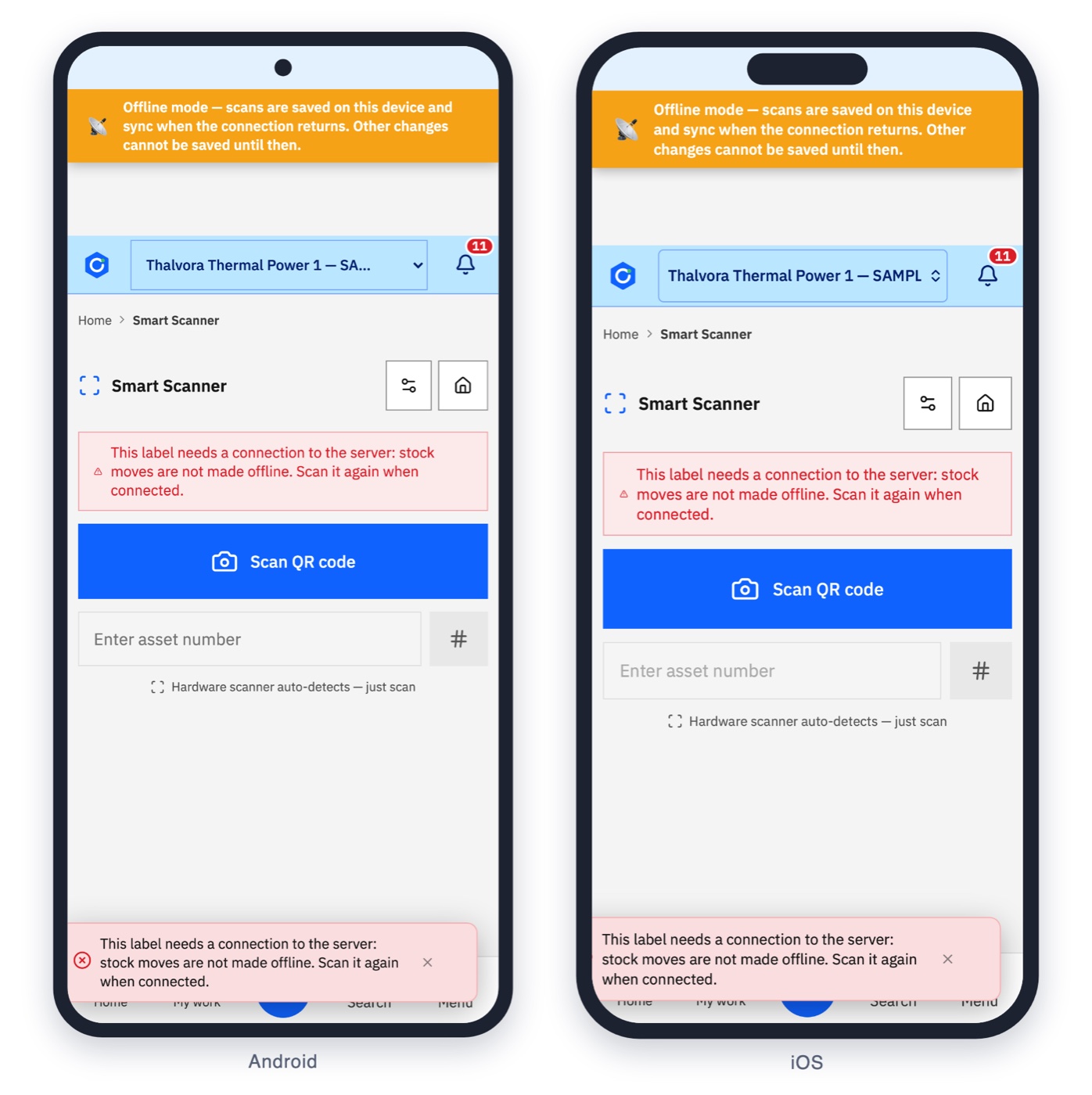
Android and iPhone. Every card is reached by scanning the code on the equipment, and the scan still works when the network does not.
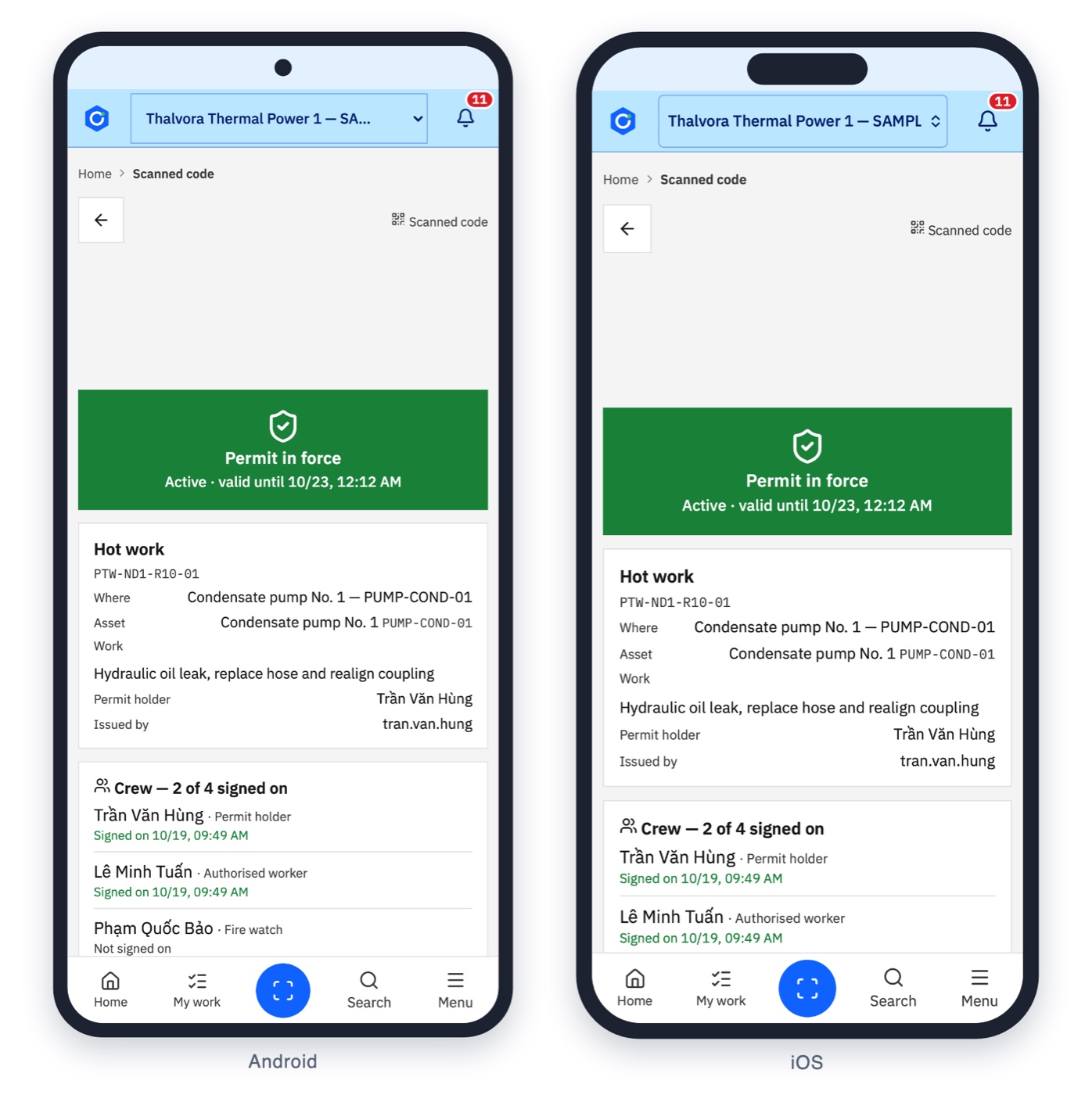
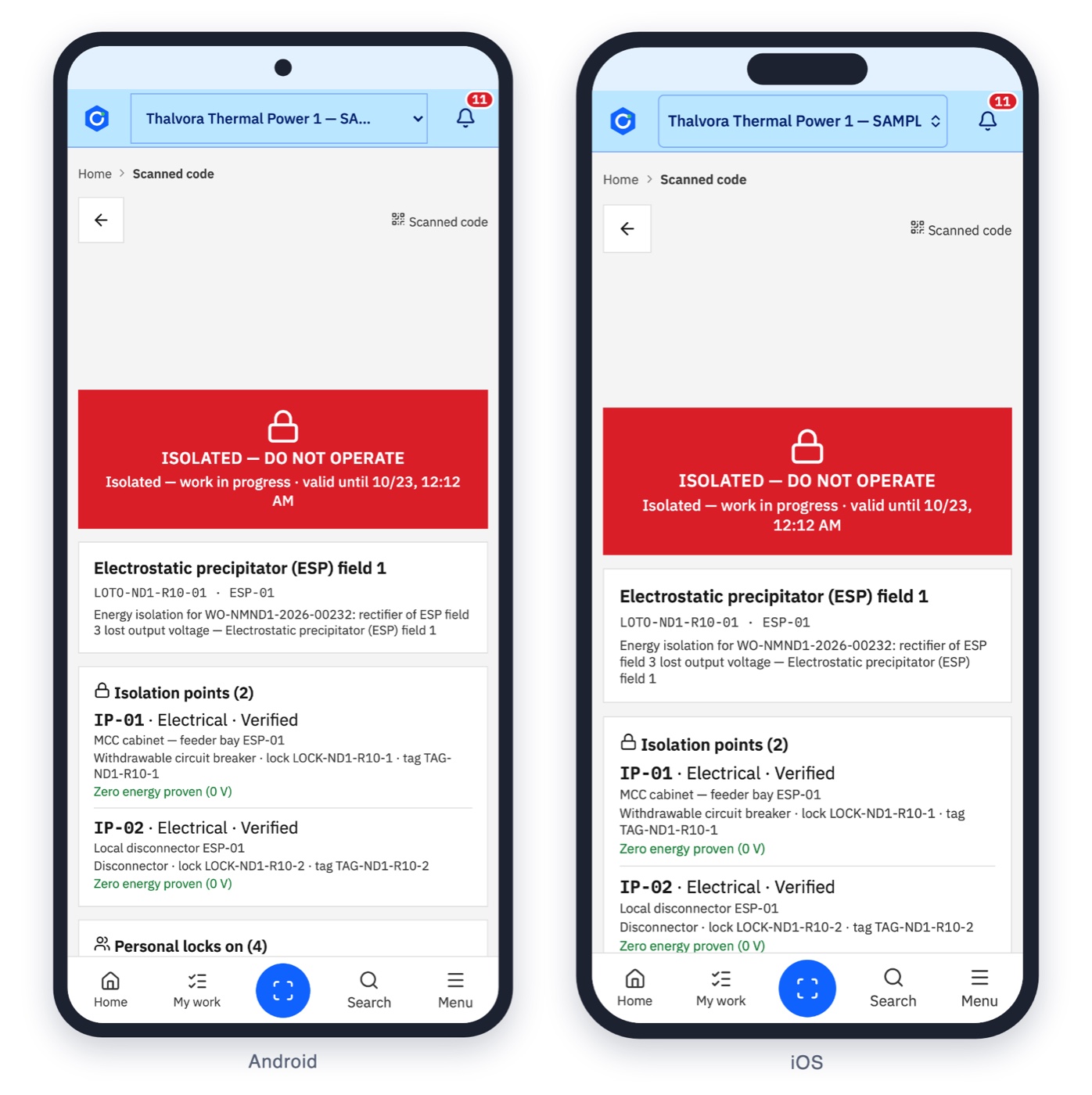
Scan, tap, done Works offline

Asset scan card

Industries

Built around the equipment that keeps your site running.

Manufacturing

  • 01Keep PM compliance up on production lines without stopping them.
  • 02Know which spare parts are on the shelf before the job is planned.

Power & heavy industry

  • 01Plan outages with the permits and LOTO on critical equipment in one place.
  • 02Work cannot close until every isolation is released and verified.

Seaports and terminals

  • 01Crane and yard equipment dispatch driven by the vessel schedule, with breakdowns reported from the cab.
  • 02Maintenance planned in the gaps between vessels.

Modules

What it covers.

Twenty-four areas in one installation. Switch on what each site needs.

  • {{ m.icon }}{{ m.name }}{{ m.n }}

How it is deployed

One installation. Every site. Working through the outages.

One central installation serves every site.

Each plant keeps working during network outages and catches up when the network is back.

The interface is bilingual, Vietnamese and English, with light and dark themes.

AI can run with a cloud provider or fully on the customer's own server.

See Oprelia on your own equipment.

Bring a pump, a crane or a permit you know well. We walk through it in Oprelia, live.
Book a 45-minute demo
info@oprelia.dev